
How to train your robot: Can an AI coaching app address one of the biggest challenges of teacher development?
September 03, 2026

By Kerri Thomsen
Director of Instruction
Room to Read's Literacy Program
Teaching is in crisis. There are disparities in training quality, a need for ongoing professional development and difficulties in transferring theory to practice. Coaches play a crucial role in professional development by helping teachers implement desired behavior changes in their teaching methods. But coaching faces its own set of challenges: enormous caseloads, lack of training and inconsistent feedback.
Could an AI coaching app be the answer? I’ll admit that I was skeptical. Could a machine really understand the nuances of teaching? Will coaches and teachers take advice from a robot? In 2024, Room to Read set out to discover if AI can provide quality coaching with the potential for implementation at scale.
With generous support from the Patrick J. McGovern Foundation, we teamed up with a technology firm in India to develop a first-of-its-kind app in Hindi and English to support teachers and coaches in early grade literacy classrooms using Room to Read’s methodology and materials for Grade 1 and 2 literacy instruction. Literacy Coach Pro (for coaches) and Literacy Coach AI (for teachers) analyze input from literacy lessons and engage users in a conversation with AI on how to improve teaching practices. Coaches complete an in-app observation form while teachers have the option to complete a reflection form or upload a video for AI analysis. Teachers and coaches can track and monitor their progress, schedule sessions, review resources and ask questions, right in the app.
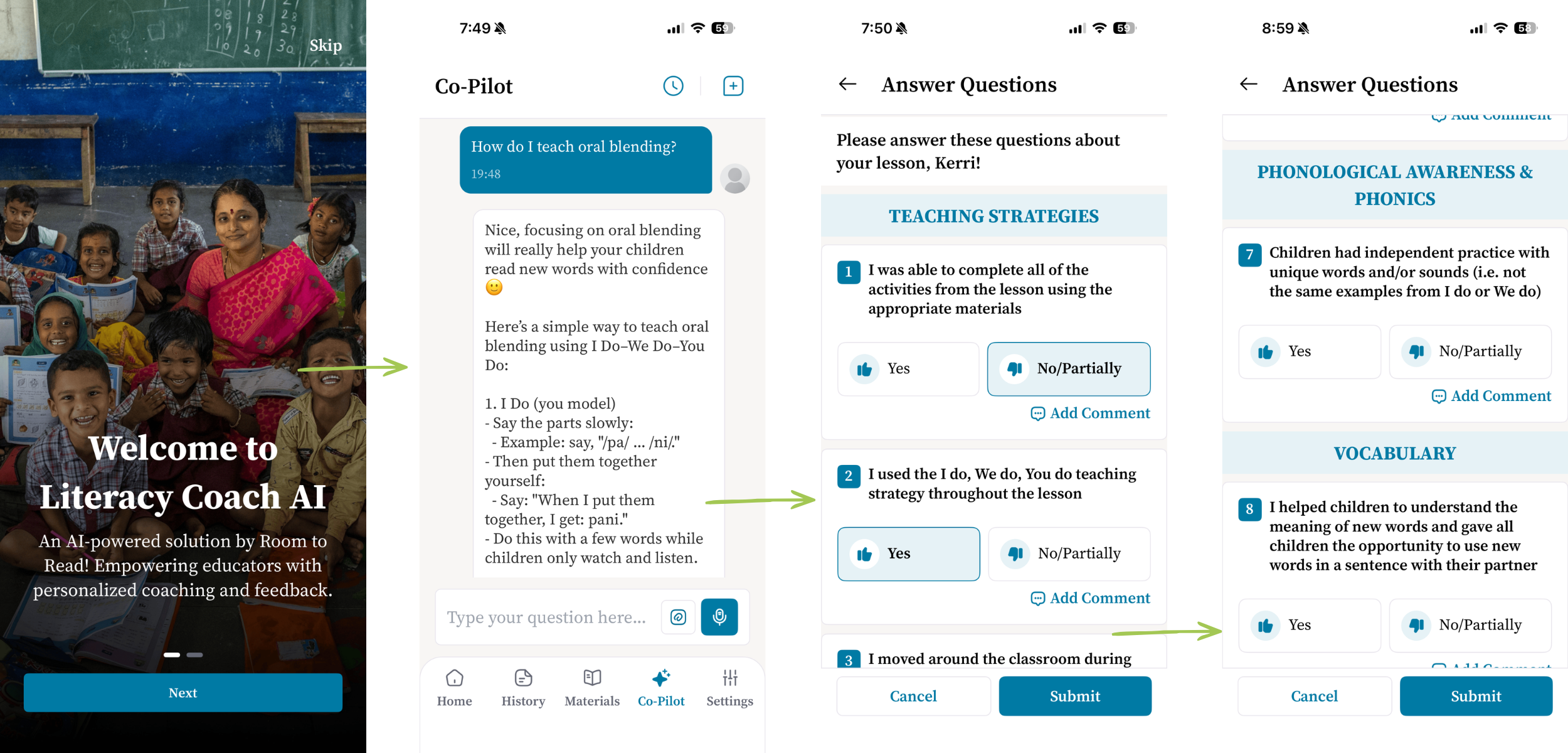
We wanted to design an app that would be user-friendly, with low barriers to use. We debated the contents of the homepage to ensure it provided easy access to the most-used functions. We reorganized Room to Read’s classroom observation form to require less scrolling when filling it out on a mobile phone by ordering the indicators chronologically. The indicators contain teaching behaviors and activities that we expect to see in a Room to Read supported classroom. On paper, coaches could jot a note with more details of what happened if they marked an indicator ‘no.’ But no one wanted to do a lot of typing on a mobile, so we created sub-indicators with the most common reasons an indicator might be marked ‘no’. This lets users provide more detail for the AI coach to respond to with a simple tap.
AI training
I had never built an app before, and I hadn't worked much with AI. What I did know was what good coaching looks like in a Room to Read classroom — and that a general-purpose chatbot wouldn't deliver it. We didn't want the app pulling from general knowledge on the internet. We wanted every piece of feedback grounded in the science of reading approach that Room to Read’s Literacy Portfolio is built on, and we expected the app to coach on the specific lesson activities teachers were actually using.
So, we gave the tool our own library. We provided the app with Room to Read’s teacher training sessions, teacher guides and student books, our literacy coach manual and our program descriptions — nearly 1,000 pages of content. Our technology partner built the app around that foundation.
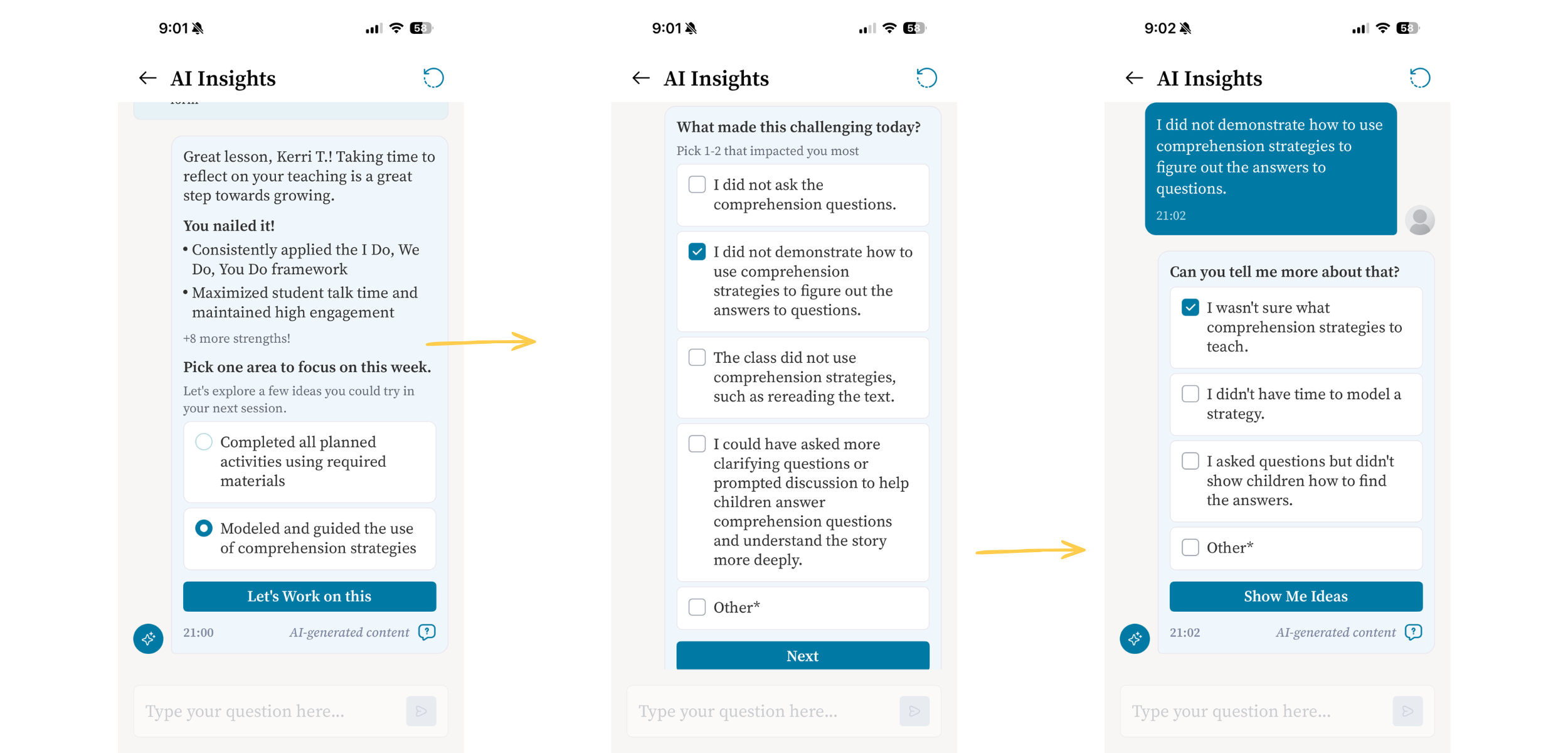
Then we started testing. We filled out observation and reflection forms, uploaded videos of lessons and read closely what came back. Where the app feedback was wrong, off-topic or reached outside our methodology, we documented it and asked our partner to fix it.
But there is a ceiling on what internal testing can tell you. We knew there were improvements that were still needed, but we had to know how it worked for actual teachers. From August 2025 to April 2026, we piloted the app in 20 schools in Jharkhand, India. This gave us what we needed most: a clear-eyed account of what teachers needed the app to improve on.
What teachers told us
Teachers liked receiving instant feedback, and most indicated that they would be open to using the app again in the future.[1] They appreciated that the video analysis noticed small mistakes they hadn't caught themselves and gave them a chance to correct things they wouldn't have known to look for. But using the video feature was difficult. Uploading videos took so long and failed so often that some teachers gave up on video entirely. The engineers are now working to improve that feature.
My particular focus has been what the app knows and how it responds to classroom input, so I wanted to know what teachers thought about the feedback they received.
Teachers weren’t satisfied with the feedback. The app was good at naming what hadn't been done and poor at explaining what to do instead. When a teacher implemented an activity partially, it was marked "not done" — with no account of what was there, what was missing or how to close the gap. This surprised me, as the purpose of the sub-indicators was to name what was missing and focus the feedback.
Clearly, the app was not behaving as intended. Sometimes the suggestions even left the classroom altogether, telling teachers to run a workshop, hold a parent-teacher meeting, or make new teaching materials. The app had all of the information, but was not generating specific, actionable feedback.
Teachers also answered the question I had asked myself at the start: Can a machine understand the nuances of teaching? They questioned how the app could measure student engagement and learning, the way their human literacy coaches could. This confirmed what I had always thought: The app can’t replace the coach.
Its job, rather, is to make the coach's work go further. For it to do that, we had to improve the feedback the app provided.
What we changed
The first fix was to stop leaving the AI coaching app's behavior to chance. We wrote a series of system prompts that govern how it operates: an AI persona, a set of golden rules it cannot break, and explicit guardrails against hallucination — when an AI model makes something up — and bias. Before, we had been correcting bad answers one at a time. Now we were setting the rules that answers have to follow.
The second fix surprised me. We cut the knowledge base from nearly 1,000 pages to under 200. My instinct had been that more material meant better grounding — that if we gave the app everything we had, it would find the right answer in there somewhere.
What I learned is that the app doesn't read the whole library to answer a question. It pulls a handful of relevant passages. When a dozen near-identical passages compete for those few slots, it runs the risk of retrieving the redundant ones and missing the useful one. Across 1,000 pages of training sessions, guides and program descriptions, the same topics came up again and again, phrased a little differently each time. That noise drowned out the helpful answers.
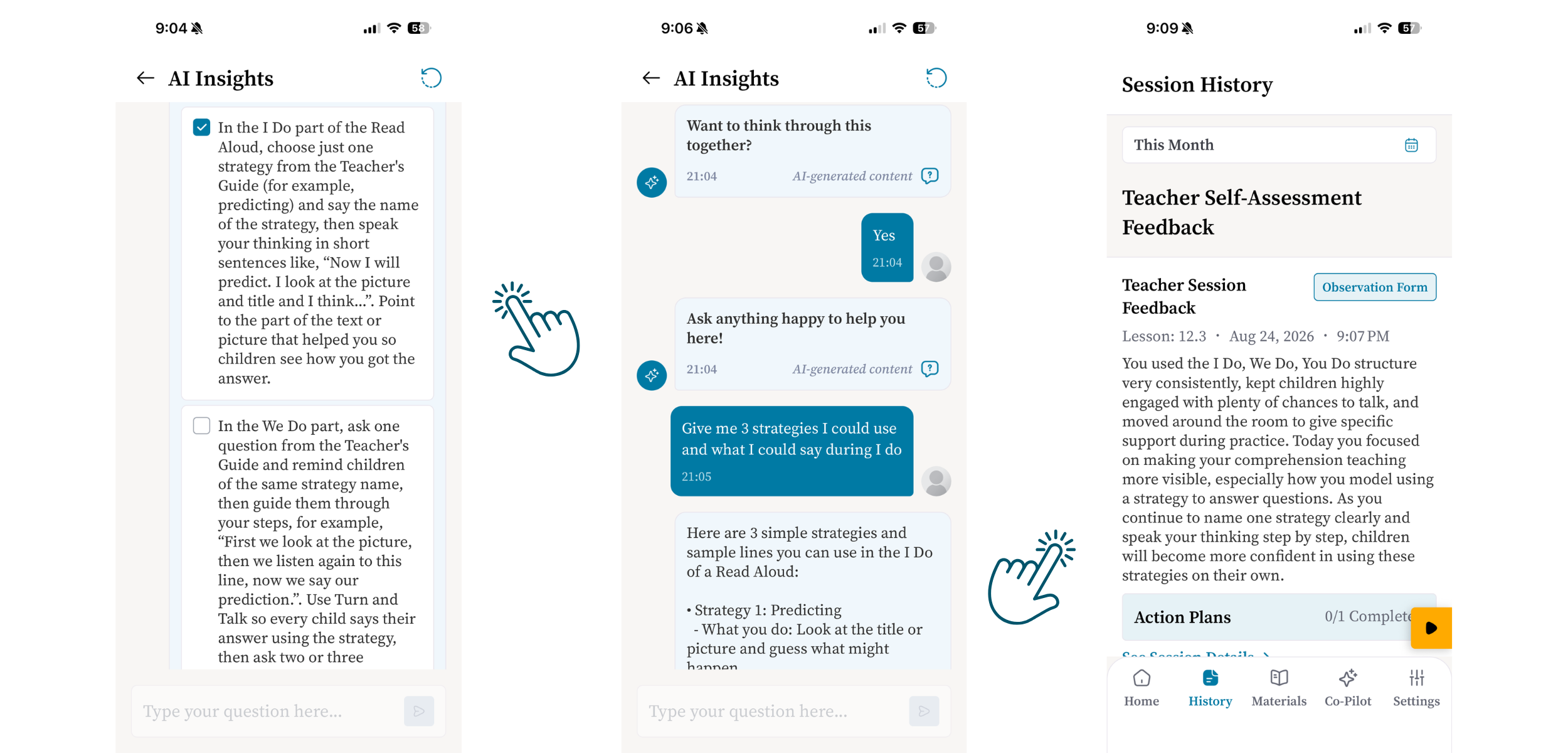
So, we rebuilt it. Using AI to distill our 1000 pages down to the key ideas, we created a knowledge base for each app — one for coaches, one for teachers — with general knowledge on early-grade reading instruction as well as clear descriptions of what each indicator means, why it is important, and how each activity is meant to be taught. Rather than searching a library, the app now looks up the indicator in front of it and finds one authoritative account of what good practice looks like.
Testing our AI coaching app at scale
We are in user acceptance testing now, and the way I am testing has changed as much as the app has. The first time around, testing meant filling out forms on the app by hand, reading responses one at a time, and keeping notes on what looked wrong. I ran dozens of tests. Now, I can run hundreds.
Having a subscription to an AI platform — in my case, Anthropic's Claude — allowed me to apply code to push every indicator and sub-indicator through the app and pull the feedback into an Excel sheet I can review in one pass, an innovation we started when doing internal testing of our library version of the app for Vietnam, where our library model has been scaled across government schools. I also built a scoring system that rates each response on four dimensions: accuracy, pedagogical quality, relevance and context-appropriateness. That turns a vague impression — this answer feels off — into something I can sort and count. I can see which indicators are producing weak feedback and how they improve in each version of the app.
I am the only one testing this way for now — the scoring framework is my experiment, not yet how our literacy team works. The app still needs to be tested by teachers in their own classrooms. But this time every indicator has been run and read, not a sample of them. That is worth expanding on, with more of us doing it, as we bring Literacy Coach AI to our next country and language, South Africa, where we will test across an additional 20 isiZulu-speaking schools.
I’m watching the feedback get better and better. This app has the potential to be a game changer. Anytime-access to personalized feedback based on specific classroom events will empower teachers to take charge of their own professional development. By leveraging AI, Room to Read can provide continuous support to teachers, helping them consistently improve their teaching methods and ultimately strengthen literacy skills among more children, more quickly.
Learn more about our unique approach
[1] Due to timing challenges, the sample size was small and should not be considered representative.

You might also be interested in...

How to read to children: Why training teachers matters

Addressing linguistic complexity in Indian classrooms
Stuti Jain, Manager of Instructional Design and Structural Support

Education reform: Why policy and practice must be aligned
Poornima Garg, Country Director, Room to Read in India

Inclusive education: Designing reading materials for all children
Deepali Agarwal, Quality Reading Materials Lead, Room to Read in India